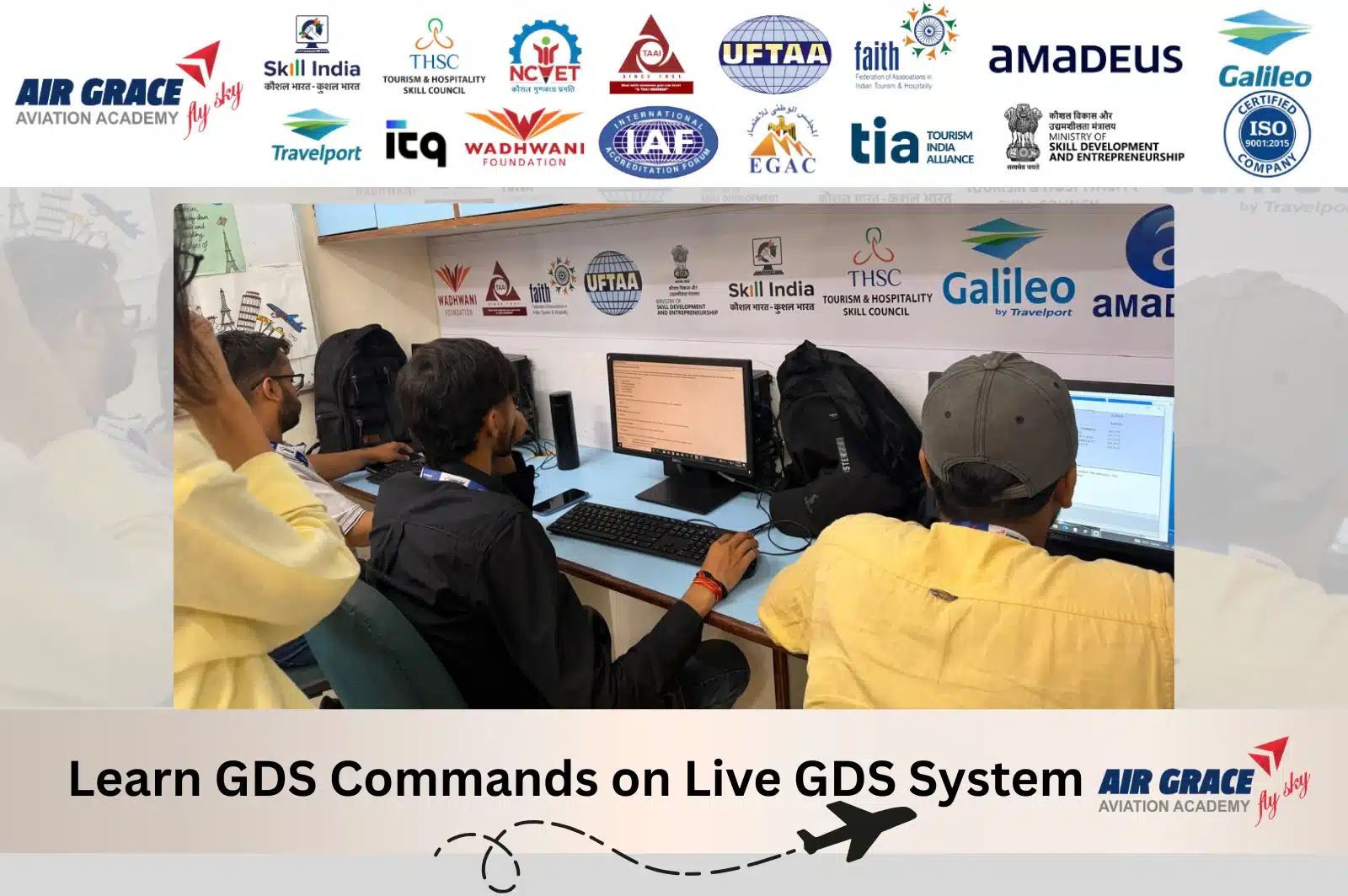
The modern travel industry relies on speed, accuracy, and real-time information. Whether a passenger books a domestic flight, an international itinerary, a hotel, or a car rental, travel professionals use GDS Commands to complete reservations efficiently. These commands are the foundation of airline reservation systems used by airlines, travel agencies, corporate travel companies, and Online Travel Agencies (OTAs) worldwide.
If you’re planning a career in Air Ticketing, Travel & Tourism, Airline Reservations, Corporate Travel, or Airport Operations, learning GDS commands is one of the most valuable technical skills you can acquire.
Unlike many websites that simply provide a list of commands, this guide explains what GDS commands are, why they matter, how they are used in real travel agency operations, and includes practical examples to help beginners understand the reservation process.
Whether you’re searching for GDS Training in Delhi, New Delhi, Noida, Gurugram, Ghaziabad, Faridabad, or anywhere in India, this guide will help you build a strong foundation.
What Are GDS Commands?
GDS Commands are short system entries used in a Global Distribution System (GDS) to communicate with airline, hotel, car rental, and other travel service databases. Instead of using only menus and buttons, travel professionals enter commands to search availability, create bookings, calculate fares, issue tickets, modify reservations, and process refunds.
The most widely used Global Distribution Systems include:
- Amadeus GDS
- Galileo GDS (Travelport)
- Sabre GDS
Although each platform has its own command structure, the overall reservation workflow is very similar. Once you understand the logic behind GDS commands, learning different systems becomes much easier.
What Is a Global Distribution System (GDS)?
A Global Distribution System (GDS) is a computerized reservation network that connects travel agencies with airlines, hotels, car rental companies, cruise operators, and other travel suppliers.
Instead of contacting each airline separately, travel consultants can search and book multiple travel services from a single platform.
A GDS enables travel professionals to:
- Search real-time flight availability
- Compare fares from different airlines
- Reserve airline seats
- Create Passenger Name Records (PNRs)
- Issue electronic tickets
- Book hotels
- Reserve rental cars
- Manage itinerary changes
- Process refunds and cancellations
This centralized system improves efficiency, accuracy, and customer service.
Why Are GDS Commands Important?
Even though modern reservation systems include graphical interfaces, command-based entries remain the fastest and most efficient way to perform many reservation tasks.
Travel professionals who understand GDS commands can:
- Complete bookings more quickly
- Reduce booking errors
- Manage complex itineraries efficiently
- Handle schedule changes professionally
- Provide better customer service
- Improve productivity during busy travel seasons
Many airlines and travel companies continue to prefer candidates who are comfortable using command entries because they can work more efficiently in high-volume reservation environments.
Industries That Use GDS Commands
GDS skills are valuable across a wide range of travel-related industries, including:
- Airlines
- Travel Agencies
- Online Travel Agencies (OTAs)
- Corporate Travel Management Companies
- Tour Operators
- Destination Management Companies (DMCs)
- Airport Ticketing Offices
- Cruise Companies
- Hospitality Groups
- Visa & Travel Documentation Companies
Whether you work in India or abroad, GDS knowledge is a highly transferable professional skill.
The Three Most Popular GDS Platforms
1. Amadeus GDS
Amadeus is one of the world’s leading reservation systems and is widely used by airlines, travel agencies, and corporate travel companies. It offers tools for flight reservations, ticketing, hotel bookings, and travel management.
2. Galileo GDS (Travelport)
Galileo, part of the Travelport platform, is popular among travel agencies worldwide. It provides reservation, ticketing, itinerary management, and travel service distribution capabilities.
3. Sabre GDS
Sabre is another major Global Distribution System used extensively by airlines, travel agencies, and travel management companies, especially in North America and many international markets.
Do GDS Commands Differ Between Systems?
Yes. While the purpose of the commands is generally the same, the syntax can vary between Amadeus, Galileo, and Sabre.
For example:
| Task | Amadeus | Galileo | Sabre |
|---|---|---|---|
| Display Availability | AN15DECDELBOM | A15DECDELBOM | 115DECDELBOM |
| Passenger Name | NM1SHARMA/RAHULMR | N.SHARMA/RAHULMR | -SHARMA/RAHULMR |
| Save Booking | ET | ER | ER |
Important: The exact command formats may vary based on software versions, office configurations, and airline-specific implementations. Always practice using an authorized training environment.
How GDS Commands Work in a Real Booking
Imagine a passenger wants to travel from Delhi to Dubai.
A travel consultant would typically follow this workflow:
Step 1 – Search Flights
The agent checks available flights between Delhi and Dubai.
↓
Step 2 – Compare Airlines
Different airlines, schedules, and fares are reviewed.
↓
Step 3 – Sell the Flight
The preferred flight is reserved.
↓
Step 4 – Add Passenger Details
Passenger names, contact numbers, and email addresses are entered.
↓
Step 5 – Create the PNR
A Passenger Name Record is created to store the booking information.
↓
Step 6 – Display Fare
The system calculates the applicable fare and taxes.
↓
Step 7 – Issue the Ticket
Once payment is confirmed, the electronic ticket is generated.
↓
Step 8 – Send the Itinerary
The passenger receives the ticket and travel itinerary.
Understanding this workflow helps learners see how individual commands fit into the complete reservation process.
Basic GDS Commands with Examples
Below are examples of common command types used in many GDS platforms. These examples are intended for learning purposes and may vary slightly depending on the system.
1. Flight Availability
Purpose: Search available flights.
Example (Amadeus)
AN15DECDELBOM
Meaning
- AN = Availability
- 15DEC = Date of Travel
- DEL = Delhi
- BOM = Mumbai
The system displays available flights on the selected route.
2. Sell Flight
After choosing a flight, the required seats are reserved.
Example
SS1Y1
Meaning
- SS = Sell Seat
- 1 = Number of Seats
- Y = Booking Class
- 1 = Flight Line Number
3. Enter Passenger Name
Passenger details are added to the reservation.
Example
NM1SHARMA/RAHULMR
This creates a passenger name entry.
4. Add Contact Number
Example
AP DEL 9810012345-H
Stores the passenger’s contact number.
5. Add Email
Example
APE RAHUL@EMAIL.COM
Stores the passenger’s email address.
6. Ticketing Time Limit
Example
TKTL20DEC
Sets the deadline for ticket issuance.
7. Received From
Example
RF RAHUL
Records the person who authorized the booking.
8. Save the Reservation
Example
ET
Ends the transaction and stores the Passenger Name Record (PNR).
Why Learning Commands Is Better Than Only Using the Mouse
Many beginners rely entirely on graphical interfaces. However, experienced reservation agents know that commands offer several advantages:
- Faster booking speed
- Greater control over reservations
- Easier handling of complex itineraries
- Efficient modification of existing bookings
- Improved productivity in busy travel agencies
- Better preparation for airline and travel industry jobs
Learning commands also helps you understand the underlying reservation logic, making it easier to adapt to different GDS platforms.
Who Should Learn GDS Commands?
Learning GDS commands is beneficial for:
- Students after Class 12
- Graduates seeking careers in aviation or tourism
- Air ticketing professionals
- Travel consultants
- Reservation executives
- Corporate travel coordinators
- Tour operators
- Entrepreneurs planning to start a travel agency
- Professionals looking to upgrade their travel industry skills
GDS Commands with Examples for Airline Reservations
Once you understand how a Global Distribution System (GDS) works, the next step is learning the commands used in daily travel agency operations. Whether you use Amadeus, Galileo, or Sabre, every reservation follows a similar workflow:
- Search flight availability
- Sell seats
- Create a Passenger Name Record (PNR)
- Add passenger details
- Store contact information
- Display fares
- Issue tickets
- Add special service requests
- Manage queues
- Modify or cancel reservations
Although the command formats differ slightly between GDS platforms, the purpose remains the same.
Important: The examples below are for educational purposes. Some commands may vary depending on your GDS version, office profile, airline, or system configuration.
Flight Availability Commands
Flight availability is always the first step in an airline reservation. It displays available flights, booking classes, departure times, and seat inventory.
Amadeus Example
AN15DECDELBOM
Searches available flights from Delhi (DEL) to Mumbai (BOM) on 15 December.
Galileo Example
A15DECDELBOM
Displays available flights for the same route.
Sabre Example
115DECDELBOM
Displays flight availability within the Sabre reservation system.
What You Can Check
- Direct flights
- Connecting flights
- Available booking classes
- Airline schedules
- Seat availability
- Flight duration
Selling Flight Segments
After selecting the preferred flight, the travel consultant confirms the booking by selling seats.
Amadeus Example
SS2Y1
Meaning
- SS = Sell Seats
- 2 = Two passengers
- Y = Booking Class
- 1 = First flight displayed
Galileo Example
N2Y1
Books two seats from the selected flight.
Sabre Example
01Y1
Confirms one seat in booking class Y.
Passenger Name Commands
Passenger information must exactly match the passport or government-issued ID.
Amadeus
NM1SHARMA/RAHULMR
Galileo
N.SHARMA/RAHULMR
Sabre
-SHARMA/RAHULMR
Incorrect passenger names can lead to ticket cancellation or airline penalties.
Contact Information Commands
Every reservation should include a valid phone number.
Amadeus
AP DEL 9810012345-H
Galileo
P.H*9810012345
Sabre
9 9810012345-H
Adding accurate contact details helps airlines notify passengers about schedule changes and important travel updates.
Email Address Commands
Modern airlines send e-tickets and travel updates via email.
Amadeus
APE RAHUL@EMAIL.COM
Galileo
MT.RAHUL@EMAIL.COM
Sabre
PE‡RAHUL@EMAIL.COM
Always verify the email address before issuing the ticket.
Ticketing Arrangement Commands
Travel agencies must define when the ticket should be issued.
Amadeus
TKTL20DEC
Galileo
T.TAU/20DEC
Sabre
7TAW20DEC
These entries set the ticketing time limit according to airline policy.
Received From Commands
Every booking should identify the person who requested or approved the reservation.
Amadeus
RF RAHUL
Galileo
R.RAHUL
Sabre
6RAHUL
This creates an audit trail within the reservation.
End Transaction Commands
Once all booking information is complete, the reservation is saved.
Amadeus
ET
Galileo
ER
Sabre
ER
After saving, the system generates the Passenger Name Record (PNR).
Retrieve a Passenger Name Record (PNR)
Existing bookings can be retrieved for changes or review.
Amadeus
RT ABC123
Galileo
*ABC123
Sabre
*ABC123
Replace ABC123 with the actual booking reference.
Fare Display Commands
Fare calculation is one of the most important responsibilities of a ticketing executive.
Amadeus
FXP
Automatically prices the itinerary.
Galileo
FQ
Displays applicable fares.
Sabre
WP
Calculates the total fare and taxes.
Display Fare Rules
Fare rules explain cancellation charges, refund conditions, baggage allowances, and change penalties.
Amadeus
FQN1
Galileo
FQN1
Sabre
RD1
Understanding fare rules before ticketing helps avoid costly errors.
Ticket Issuance Commands
After payment is received, the electronic ticket is issued.
Amadeus
TTP
Galileo
TKP
Sabre
W‡ET
Always verify the fare before issuing the ticket.
Display Electronic Ticket
Amadeus
TWD
Galileo
*HTE
Sabre
WETR
These commands display ticket details, status, and coupon information.
Seat Selection Commands
Passengers often request a preferred seat.
Amadeus
SM
Displays the seat map.
ST/14A
Requests seat 14A.
Special Service Request (SSR) Commands
Special Service Requests are used when passengers require additional assistance.
Vegetarian Meal
SR VGML
Wheelchair Assistance
SR WCHR
Infant Request
SR INFT
Child Meal
SR CHML
Bassinet Request
SR BSCT
Extra Baggage Request
SR XBAG
SSR entries are transmitted directly to the airline for confirmation.
Other Service Information (OSI)
OSI messages communicate useful passenger information that does not require airline confirmation.
Example
OS YY PASSENGER IS A CORPORATE CLIENT
Example
OS YY CONTACT 9810012345
OSI messages help improve communication between travel agencies and airlines.
Queue Management Commands
Travel agencies receive notifications for schedule changes, ticketing reminders, and waitlist updates through queues.
Display Queue
QT
Open Queue Number 8
QS8
Remove Booking from Queue
QR
Effective queue management ensures that important airline updates are not missed.
Real Booking Example Using GDS Commands
Imagine a passenger wants to travel from Delhi to Dubai.
A travel consultant typically performs the following workflow:
- Search flight availability.
- Compare airlines and schedules.
- Reserve the preferred flight.
- Add passenger names.
- Store contact number and email.
- Create the Passenger Name Record (PNR).
- Price the itinerary.
- Review fare rules.
- Issue the electronic ticket.
- Email the itinerary to the passenger.
This process is followed daily by travel consultants working in airlines, travel agencies, online travel agencies (OTAs), and corporate travel companies.
Learn GDS Commands Through Practical Training
Memorizing commands is only one part of becoming a successful travel professional. Employers expect candidates to understand how each command fits into a complete booking workflow.
Advanced GDS Commands Every Travel Professional Should Know
After learning the basic reservation workflow, travel consultants move on to advanced GDS functions. These tasks are commonly performed in airlines, Online Travel Agencies (OTAs), corporate travel companies, and IATA-accredited travel agencies.
Advanced GDS operations include:
- Ticket reissue
- Ticket refund
- Flight cancellation
- Queue management
- Passenger history
- Seat changes
- Waitlist management
- Frequent flyer updates
- Schedule change handling
- Booking modifications
Mastering these processes makes you more efficient and increases your career opportunities in the travel industry.
Reissue Commands in GDS
Passengers often request changes to their travel plans after a ticket has been issued. These changes may include:
- Date changes
- Flight changes
- Route changes
- Cabin upgrades
- Name corrections (where airline policy permits)
- Schedule adjustments
Before reissuing a ticket, a travel consultant should:
- Retrieve the Passenger Name Record (PNR)
- Check ticket status
- Review fare rules
- Calculate any fare difference
- Verify airline penalties
- Reissue the ticket
Example – Display Existing Ticket (Amadeus)
TWD
Displays the electronic ticket details.
Example – Display Fare Rules
FQN1
Always review fare rules before processing any itinerary changes.
Example – Reprice the Itinerary
FXQ
Recalculates the fare after the itinerary has been modified.
Important: Reissue procedures differ between airlines and GDS platforms. Always follow airline policies and practice in an authorized training environment.
Refund Commands in GDS
Refund processing requires careful verification because airline policies vary depending on the fare type and ticket usage.
Before processing a refund:
- Check if the ticket is refundable.
- Verify whether the ticket has been used.
- Review cancellation penalties.
- Confirm airline authorization if required.
- Calculate the refundable amount.
Example – Display Ticket
TWD
Example – Display Fare Rules
FQN1
Understanding fare conditions helps avoid refund errors and customer disputes.
Cancel Flight Segments
Passengers sometimes need to cancel one or more flight segments while keeping the rest of the itinerary.
Example
XE2
Cancels segment number 2.
Cancel an Entire Reservation
When a booking is no longer required:
Example
XI
Removes all flight segments from the reservation.
Queue Management Commands
Queues help travel agencies organize airline notifications, schedule changes, ticketing reminders, and operational messages.
Display Queue
QT
Shows available queues.
Open Queue Number 10
QS10
Opens Queue 10.
Remove Processed Booking
QR
Removes the booking after processing.
Proper queue management ensures that important airline messages are handled on time.
Passenger History Commands
Viewing booking history allows travel consultants to understand changes made to a reservation.
Example
RH
Displays the PNR history.
This is useful for resolving customer queries and tracking modifications.
Frequent Flyer Commands
Passengers often request that their loyalty membership number be added to a booking.
Example
FFN AI123456789
Adds the passenger’s frequent flyer number to the reservation (format may vary by airline and GDS).
Waitlist Commands
If seats are unavailable, passengers can be placed on a waitlist.
Example
SS1Y1/LL
Requests one waitlisted seat in the selected booking class.
Travel consultants should monitor waitlisted bookings for confirmation before departure.
Display Flight Timetable
Travel professionals frequently check scheduled services between destinations.
Example
TNDELBOM
Displays the timetable between Delhi and Mumbai.
Display Airport Information
Example
DAC DEL
Displays airport information for Delhi.
Display Airline Information
Example
DNAI
Displays airline information for Air India.
GDS Command Cheat Sheet
| Task | Example Command |
|---|---|
| Flight Availability | AN15DECDELBOM |
| Sell Flight | SS1Y1 |
| Passenger Name | NM1SHARMA/RAHULMR |
| Contact Number | AP DEL 9810012345-H |
| Email Address | APE RAHUL@EMAIL.COM |
| Ticketing Time Limit | TKTL20DEC |
| Received From | RF RAHUL |
| Save Booking | ET |
| Retrieve PNR | RT ABC123 |
| Display Fare | FXP |
| Best Fare | FXA |
| Fare Rules | FQN1 |
| Ticket Display | TWD |
| Issue Ticket | TTP |
| Display Seat Map | SM |
| Vegetarian Meal | SR VGML |
| Wheelchair Request | SR WCHR |
| Infant Request | SR INFT |
| Queue Display | QT |
| Queue Open | QS10 |
| Queue Remove | QR |
| Display History | RH |
| Cancel Segment | XE2 |
| Cancel Itinerary | XI |
Common Mistakes Beginners Make
Many beginners focus only on memorizing commands instead of understanding the complete reservation process.
Common mistakes include:
- Entering incorrect passenger names
- Selecting the wrong booking class
- Missing contact details
- Forgetting ticketing deadlines
- Ignoring fare rules before ticketing
- Not verifying taxes and surcharges
- Skipping SSR requests
- Forgetting to save the booking
- Processing refunds without checking eligibility
- Ignoring airline schedule changes
Practical training helps eliminate these errors before students begin working in the industry.
Tips to Learn GDS Commands Faster
To become job-ready more quickly:
- Practice commands every day.
- Learn the reservation workflow before memorizing commands.
- Create complete domestic and international bookings.
- Study airport and airline codes.
- Understand fare construction and fare rules.
- Practice ticket issuance, reissues, and refunds.
- Solve real booking case studies.
- Stay updated with airline policies and GDS enhancements.
Consistency and hands-on practice are the keys to mastering GDS operations.
Career Opportunities After Learning GDS Commands
Professionals with GDS skills are in demand across the aviation and travel industry.
Popular job roles include:
- Air Ticketing Executive
- International Ticketing Executive
- Reservation Executive
- Airline Reservation Agent
- Travel Consultant
- Corporate Travel Executive
- OTA Reservation Specialist
- Tour Operations Executive
- Customer Support Executive
- Visa Processing Executive
- Airport Reservation Staff
- Travel Agency Operations Executive
Experienced professionals can also progress into supervisory, training, or travel operations management roles.
Why Learn GDS Commands at Air Grace Aviation Academy?
If you want more than theoretical knowledge, practical training is essential.
At Air Grace Aviation Academy, students learn how to use GDS platforms in real booking scenarios so they are prepared for the expectations of airlines and travel companies.
What You’ll Learn
- Amadeus GDS
- Galileo GDS
- Airline reservation procedures
- PNR creation and modification
- Fare calculation and fare rules
- Domestic and international ticketing
- Electronic ticket issuance
- Reissue and refund procedures
- Queue management
- Airline and airport codes
- Customer handling and communication
- Travel documentation basics
Why Students Choose Air Grace Aviation Academy
- Practical, hands-on GDS training
- Experienced industry trainers
- Updated curriculum aligned with current industry practices
- Small batch sizes for personalized learning
- Mock interviews and resume preparation
- Placement assistance
- Real-world reservation case studies
- Industry-focused learning environment
Students from Connaught Place, Karol Bagh, Janakpuri, Dwarka, Rohini, Pitampura, Laxmi Nagar, South Delhi, Noida, Ghaziabad, Gurugram, Faridabad, and across Delhi NCR choose our programs to build practical skills for careers in aviation, travel, and tourism.
Frequently Asked Questions (FAQs)
What are GDS commands?
GDS commands are system entries used in Global Distribution Systems such as Amadeus, Galileo, and Sabre to perform airline reservations, ticketing, fare calculations, hotel bookings, car rentals, and other travel-related tasks.
Which GDS is most widely used?
Amadeus, Galileo (Travelport), and Sabre are among the most widely used GDS platforms worldwide. The preferred system depends on the travel company, region, and business requirements.
Can beginners learn GDS commands?
Yes. With structured practical training and regular practice, beginners can learn the essential commands and reservation workflow needed for entry-level roles.
Is GDS knowledge required for air ticketing jobs?
Most employers prefer candidates who understand at least one major GDS platform because it improves booking efficiency and reduces training time.
Can I learn GDS after Class 12?
Yes. Students who have completed Class 12 can enroll in GDS and Air Ticketing courses to begin a career in the aviation and travel industry.
How long does it take to learn GDS?
Most students develop a solid foundation within one to three months, depending on the course structure and the amount of practical practice they complete.
Which companies hire GDS professionals?
Professionals with GDS knowledge are recruited by:
- Airlines
- Travel agencies
- Online Travel Agencies (OTAs)
- Corporate travel management companies
- Tour operators
- Hospitality organizations
- Airport service providers
- Cruise companies
- Visa and travel documentation firms
Final Thoughts
Learning GDS Commands is more than memorizing system entries; it’s about understanding the complete travel reservation process. A skilled travel professional knows how to search flights, compare fares, create PNRs, issue tickets, process changes, manage refunds, and provide excellent customer service using a Global Distribution System.
As the travel industry continues to grow, professionals with practical GDS knowledge remain highly sought after by employers in India and around the world. Building strong command skills can help you start a rewarding career in airline reservations, travel operations, and tourism.
Start Your GDS Career with Air Grace Aviation Academy
Want to become a professional Air Ticketing Executive, Travel Consultant, or Airline Reservation Specialist?
Join Air Grace Aviation Academy, one of the leading aviation and travel training institutes in Connaught Place, New Delhi, and gain hands-on experience with industry-standard Global Distribution Systems.
Our GDS Training Covers
- ✅ Amadeus GDS
- ✅ Galileo GDS
- ✅ Airline Reservation Procedures
- ✅ PNR Creation & Management
- ✅ Domestic & International Ticketing
- ✅ Fare Display & Fare Rules
- ✅ Electronic Ticket Issuance
- ✅ Reissue & Refund Procedures
- ✅ Queue Management
- ✅ Airline & Airport Codes
- ✅ Interview Preparation
- ✅ Resume Building
- ✅ Placement Assistance
📍 Visit Us
Air Grace Aviation Academy
5th Floor, 514, Barakhamba Road, Connaught Place, New Delhi – 110001
📞 Call / WhatsApp
+91-8527446364
If you’re searching for the best GDS course in Delhi, Global Distribution System training in New Delhi, Air Ticketing Course in Delhi NCR, or professional Amadeus, Galileo, and Sabre training, Air Grace Aviation Academy provides practical, career-focused training designed to help you succeed in today’s travel industry.
Enroll today and build the skills that leading airlines, travel agencies, and corporate travel companies are looking for.